World Radio 2.0 on Chrome
World Radio in the browser, feature by feature
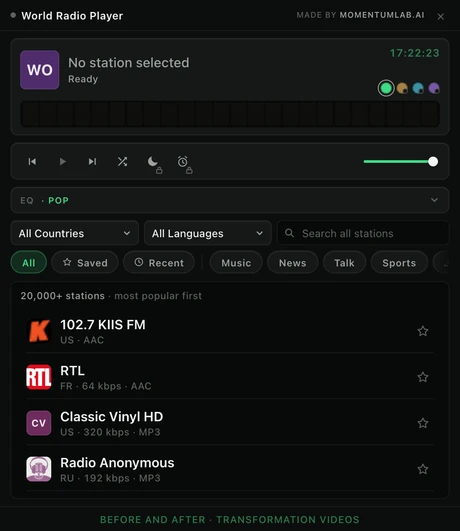
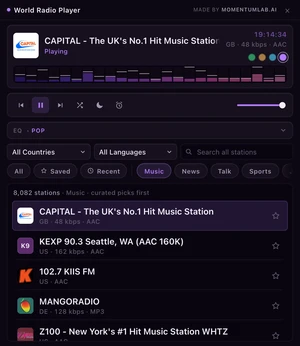
This is the Chrome door into World Radio, and version 2.0 of it is a complete rebuild: a new dark chassis, a spectrum wall driven by the audio itself, the whole directory on infinite scroll, and a player that opens exactly where you left it.
One panel, and nothing hidden behind a menu
The popup is 520 by 600, the largest a Chrome extension is allowed to be. Everything the player does is on this one panel: the deck at the top, the transport under it, the equalizer folded into a single row, then the filters, the shelf rail and the list.
Playback survives the popup closing. Close it, switch tab, open another window: the audio keeps running until you stop it.
Every screenshot on this page is an unretouched capture of the 2.0.0 build. Nothing has been composited, recoloured or rearranged.
The spectrum wall
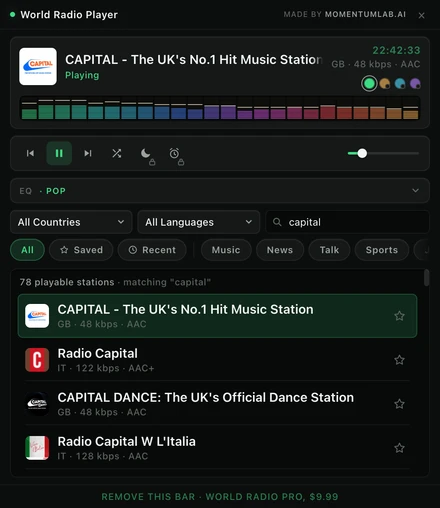
Twenty four columns, reading the real signal
A log spaced analyser across 45Hz to 12kHz, twenty four bands, sixteen segments per column, peak dots that hold for 800ms and then fall. Nothing about the display is decided by the current frame, so quiet passages look quiet and loud ones fill the wall.
When a stream cannot be analysed, the wall says so.Roughly half of internet radio is served in a way the browser will not let anyone read. On those stations the wall runs a slow light show and the header lamp softens to a pulse. It is decor, and it is never presented as a measurement.
The equalizer
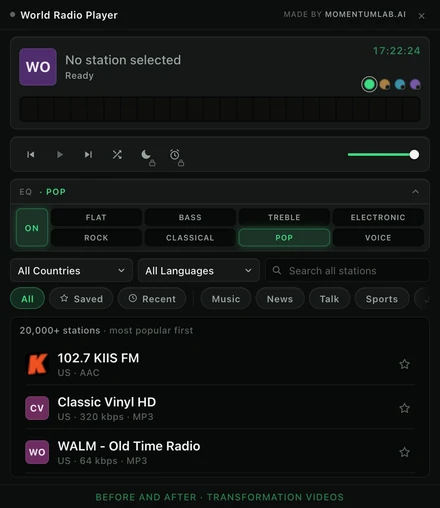
A real ten band EQ, with eight presets
Flat, Bass, Treble, Electronic, Rock, Classical, Pop and Voice, applied by a genuine ten band filter chain rather than a picture of one. It is free, and it stays free.
The bank folds into one row that still reports which preset is on, so it costs the station list no height until you want it. No key is ever disabled: a preset is your standing preference, not a per station capability.
Curated shelves
Nine shelves, with hand picked stations first
Music, News, Talk, Sports, Jazz, Classical, Dance, Chill and Retro. A shelf orders the list, it never truncates it: picking Music across all countries gives you the whole worldwide music slice with the editor's picks at the top.
Compose a shelf with a country or a language and you get that exact filter, with an honest count. Where a country's stations are badly tagged upstream, the count says so rather than inventing rows.
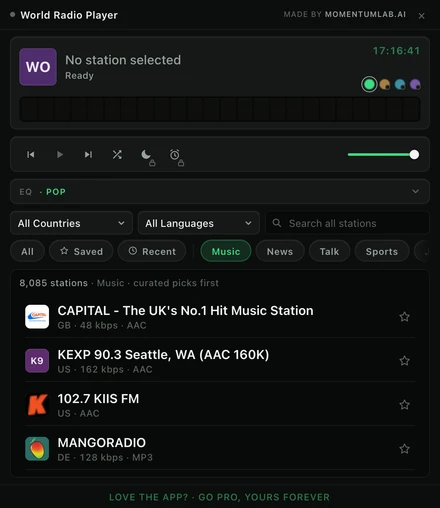
Country and language
176 countries, 30 language shelves
Filter by country, by language, or by both at once. The language list is the diaspora route into the directory and it is the thing most radio extensions do not have.
Every station gets its own identity tile, coloured from the station's own id so it is the same colour on every machine, with the real logo drawn on top when the station publishes one.
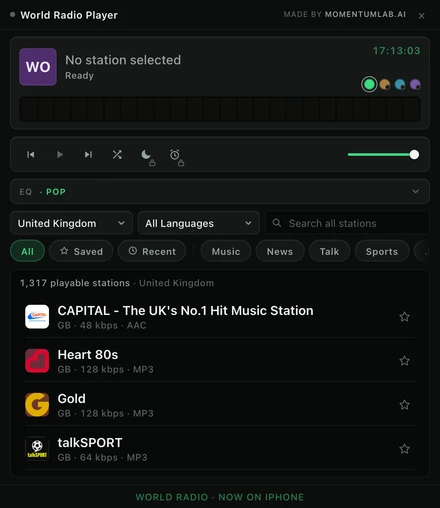
Getting back
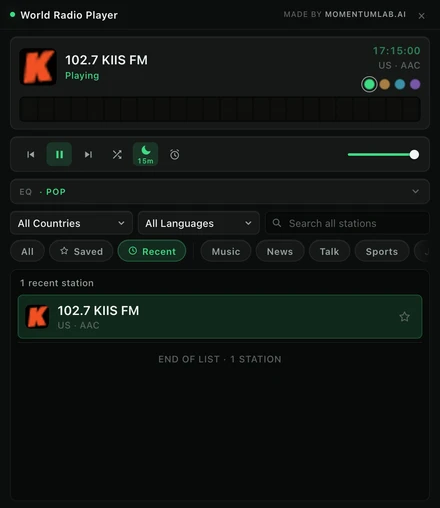
Recently played, and a player that reopens where you left it
The last eight stations that actually started. A station you clicked that failed to play is not a station you played, and a history full of dead streams is a graveyard.
Reopen the popup and you are back on the same shelf, the same country and the same language you left. A search term never persists, because a stale search is a list that looks broken.
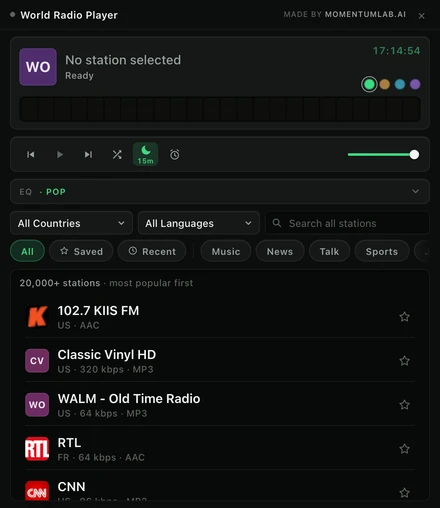
Sleep timer · Pro
Fifteen to ninety minutes, with a fade
15, 30, 45, 60 or 90 minutes, counting down on the key itself, ending in an eight second fade rather than a cut. It survives the popup closing, and pausing by hand does not disarm it.
Part of World Radio Pro.
Wake to radio · Pro
Set a time, and your station starts on its own
Pick a time and a station and the browser starts playing it, daily. No tab has to be focused and nothing has to be clicked first.
Part of World Radio Pro.
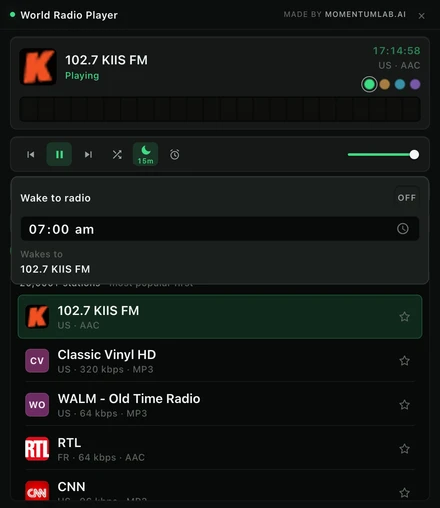
A finish is a different device, not a different accent
Each one restates the whole token set. The near blacks shift temperature, the hairlines follow them, the greys lean warm or cool with the chassis, and the spectrum wall gets its own six stop palette. Green is free and is the default; the other three come with Pro.
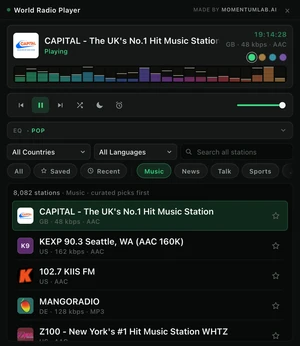
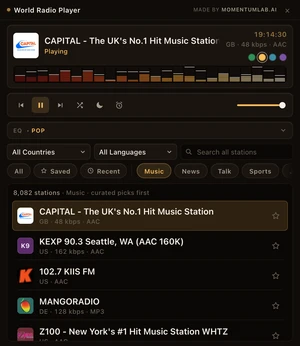
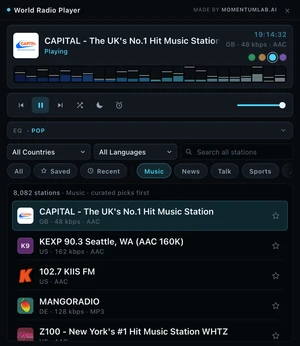
Tap a locked finish in the free version and the whole deck becomes it for three seconds before it reverts. Describing a colour is hopeless.
Around half of internet radio is http only. A browser blocks those as mixed content, so they cannot be played from inside a page by anyone. They are filtered out rather than listed and left to fail, which is why a country's count here is lower than the raw number the public directory reports.
The equalizer and the spectrum wall need the stream's permission. A stream served without the right cross origin header cannot be analysed by any web player. On those stations the EQ stays set and says it is waiting, and the wall runs its light show. The audio is never gambled to get the graph: if analysis fails the player falls back to plain playback silently.
The free version carries a promotions bar. It is a slim strip at the bottom rotating our own MomentumLab apps, bundled inside the extension package as plain data. It makes no network request, there is no ad network, no targeting and no profile. Pro removes it and gives the height back to the station list.
Try it, and keep the whole directory for nothing
20,000+ live stations, the search, the shelves, the visualizer and the equalizer are all in the free version, and they stay there.